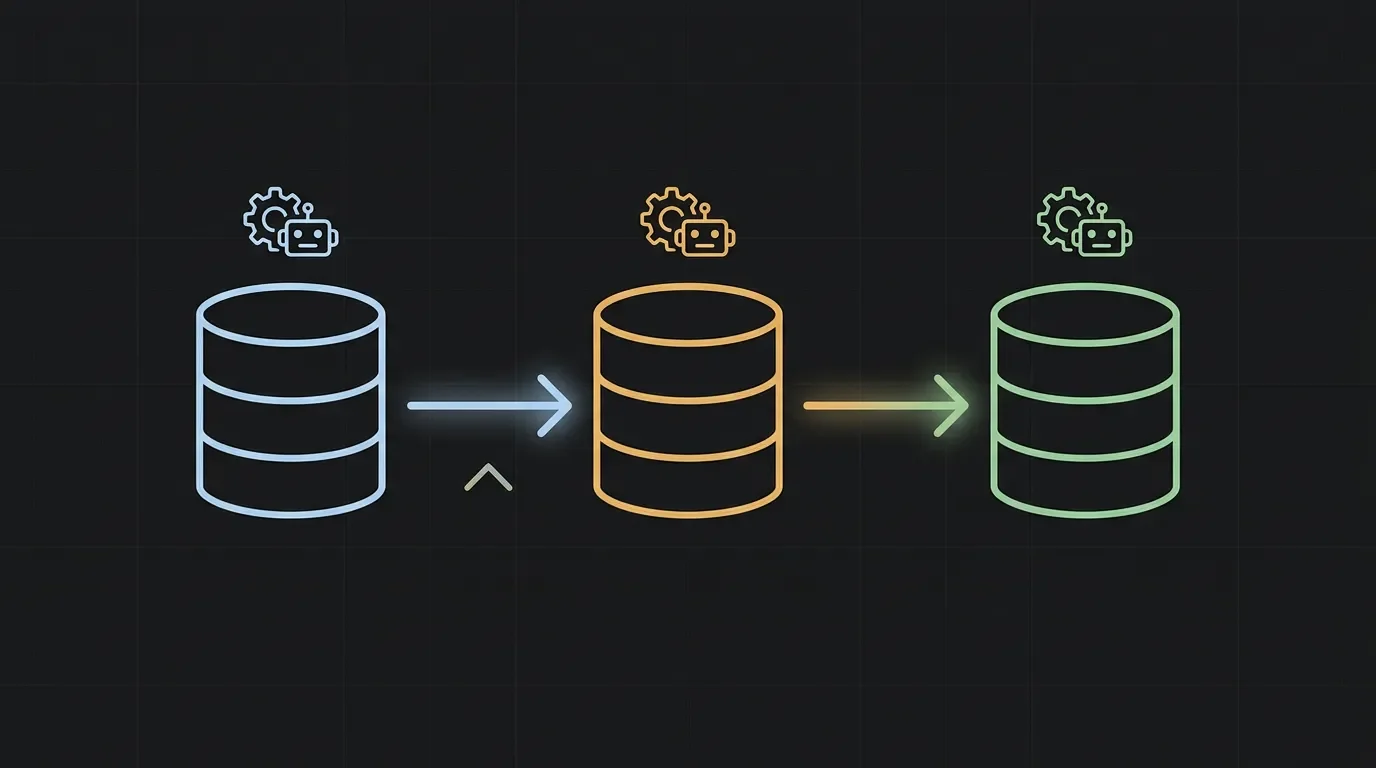
Chain Notion Custom Agents through a shared database
Custom Agents can't call each other directly — the workaround is a shared Notion database acting as a message bus. Agent A flips a Status property when it finishes; Agent B fires on that exact property change via its own "property is updated" trigger. Covers the 4-step build guide, a PM feature-request triage → enrichment pipeline, and 6 production gotchas including the one-write-surface rule, the 2-hop DB Automation cap, and the absence of a centralized debug view.

Research Brief
Notion Custom Agents (launched February 24, 2026 on Business and Enterprise plans) have one conspicuous gap: an agent cannot call another agent directly. 1 There is no "run another agent" action in the instruction editor, no
@mention syntax that triggers a sub-agent, and no built-in orchestrator mode. 2The workaround is already in production at companies like Equals Money (UK fintech), which runs a 3-agent chain that automated 24+ hours of weekly manual work — and at least one power user on Reddit who built 11 coordinated agents running 230+ times a month. 3 4
The pattern: turn a shared Notion database into a message bus. Agent A writes to a property when it finishes. Agent B is configured with a "property is updated" trigger watching that exact property. The property flip is the handoff signal.
Prerequisites
| Requirement | Detail |
|---|---|
| Plan | Business or Enterprise — Custom Agents are not available on Plus or Free 1 |
| Credits | $10 per 1,000 credits, workspace-shared, monthly reset with no rollover. Each agent run is billed independently — a 2-agent chain costs 2× credits per execution 5 |
| Shared database | One Notion database both agents can access — this becomes the bus |
| Agent permissions | Both agents need explicit "Can edit" access to the shared database — by default a new agent has zero workspace access 6 |
How the trigger chain actually works
Database Automations in Notion have an explicit constraint: they cannot trigger other automations. 7 This means you cannot set up a Database Automation with "Run Custom Agent" as an action — that action does not exist in the automation builder.
What does work is the Custom Agent's own trigger system. Each agent can independently listen for a "property is updated in a database" event. So the chain is:
- Agent A finishes its task and writes
Agent A Doneto a Status property on a page. - Agent B has a Notion trigger configured: "A property is updated" → shared database → Status property → filter: Status equals "Agent A Done".
- Agent B fires, reads the triggering page, does its work, writes
Agent B Doneto its own output column, flips Status toAgent B Done.
The mechanism lives entirely inside Custom Agent triggers, not inside Database Automations.
4-step setup
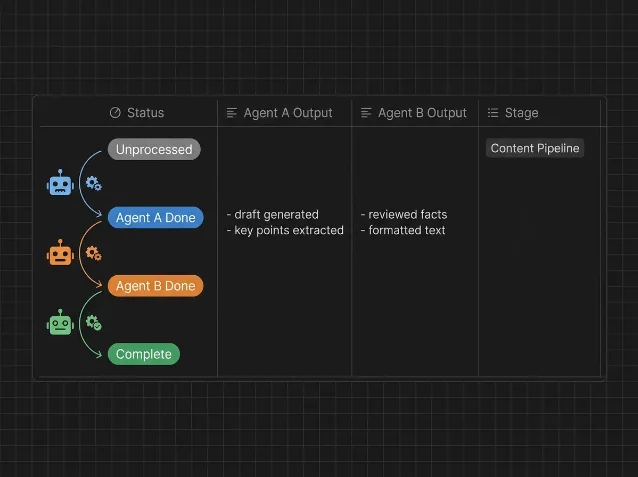
Step 1 — Design your shared database schema. Add a Status select property with values matching your pipeline stages:
Unprocessed → Agent A Done → Agent B Done → Complete. Also decide which columns each agent owns exclusively (see Gotchas). A feature request triage chain might look like: a Category column Agent A writes, a Priority column Agent B writes, and Status as the handoff token no agent uses for anything else.Step 2 — Build Agent A. In your agent's instructions, end with an explicit write directive: "When you have finished processing this record, set Status to 'Agent A Done' and stop." Grant Agent A "Can edit" access to the shared database under Tools and Access. Run it manually on one test record and confirm the Status flip happens.
Step 3 — Build Agent B with a property-updated trigger. Create Agent B → go to the Triggers tab → add a Notion trigger → select "A property is updated in a database" → pick the shared database → select the Status property → add a filter: Status equals "Agent A Done." This filter prevents Agent B from re-firing when later status values (like "Agent B Done") get written. 1 Grant Agent B "Can edit" access to the same database. Write instructions telling it to read the triggering page and process the content it finds in Agent A's output column.
Step 4 — Test end-to-end. Trigger Agent A manually on a record. Then open Agent B's Activity tab and confirm it fired. Check that Agent B wrote to its designated output column and updated Status to "Agent B Done." If Agent B did not fire, the most common causes are: (a) the trigger filter doesn't match the exact string Agent A wrote, or (b) Agent B lacks edit permission on the database.
Loading content card…
A concrete PM example: feature request triage → enrichment chain
Agent A — Triage: Trigger on new page added to the Feature Requests database. Instructions: read the request title and description, classify into Category (Bug / Enhancement / Infrastructure / Research), set Priority to P0/P1/P2 based on a rubric you define, then set Status to "Triaged." Owns: Category column, Priority column.
Agent B — Enrichment: Trigger on Status updated to "Triaged" in the Feature Requests database. Instructions: read the triaged record and Agent A's Category/Priority values, search the existing roadmap database for related items (grant access to roadmap too), write a one-paragraph "Relevant context" note to the record's Notes property, and set Status to "Ready for PM review." Owns: Notes column.
This two-agent chain handles intake classification and context enrichment without any human in the loop. The PM only touches records with Status = "Ready for PM review."
Equals Money runs a structurally identical chain for product documentation: Product Updates Watcher logs releases into Notion → Knowledge Base Amendment agent cross-references releases against the existing knowledge base → the KB updates itself. Jake Clarke, Equals Money's Product Marketing & Ops Lead, described the result: "Our product documentation used to require periodic clean-ups. With Custom Agents, it maintains itself." 3
Loading content card…
Gotchas
Each agent must own exactly one write surface. Two agents writing to the same database row or property at the same time will conflict. This is the most common failure mode in multi-agent setups and, as Reddit user NotionAtul noted after scaling from 9 agents to 4, "the thing nobody warns you about." 8 The fix: when designing your schema, assign every agent a dedicated column it alone writes. Status itself should only be written by the agent completing a stage — not read-modified-written by two agents simultaneously.
The chain is hard-capped at 2 sequential hops via Database Automation. Notion's own docs confirm that database automations cannot trigger other automations. 7 If Agent B flips a property that would logically trigger Agent C, that only works if Agent C has its own "property updated" trigger configured directly — which does work, since Custom Agent triggers are independent of Database Automations. In practice, a 3+ agent chain is buildable, but each downstream agent needs to be separately configured to watch the upstream property. What cannot be done: a Database Automation in the middle of the chain that calls an agent as an action.
Credits compound with chain length. A 2-agent chain executing once consumes 2 independent agent run charges. At the approximate $0.10–$0.30 per run range for typical tasks, running a 2-agent chain 20 times per week costs roughly $4–$12/week. 5 Keep agents narrow in scope — Matthias Frank put it bluntly: "The one-agent-one-job principle is not just good practice. It is now cost-effective practice." 2 An agent that reads minimal content, takes few steps, and doesn't over-call tools costs a fraction of one that tries to do five things.
Agent B reads the triggering page, not a context object. When Agent B fires, it knows which page triggered it — but the official docs don't specify the exact context object passed. 1 In practice, write Agent B's instructions to explicitly read properties by name: "Read the Category and Priority properties of the triggering record." Don't assume the agent receives Agent A's output as a pre-parsed object; it reads the database page like a human would.
There is no centralized debug view. Each agent has its own Activity tab, but no dashboard aggregates the health of the full chain. If Agent B fires but fails silently (no output written, no error surfaced in its Activity tab), the record stalls at "Agent A Done" indefinitely. The community-proven mitigation: add an instruction to Agent B to write a minimal status entry even when it has nothing to report — a timestamp and "Nothing to process" in a log column. Morning reviews of the log surface silent failures without requiring you to open each agent's Activity tab individually. 4
Sharing an agent exposes everything it can see. Per Notion's permission model: "Custom Agents have their own permissions. When you share a Custom Agent, you're giving your team access to everything the agent can see." 6 Grant each agent the minimum database access it needs. If Agent A only needs to read the roadmap and write to the Feature Requests database, don't give it edit access to the OKR tracker.
References
- 1Notion Help Center: Custom Agents
- 2Matthias Frank: Notion Custom Agents Full Tutorial
- 3Notion Customer Story: Equals Money
- 4Reddit r/Notion: I Built 11 Coordinated Notion Agents
- 5Notion Help Center: Custom Agent Pricing
- 6Notion Help Center: Custom Agents Sharing and Permissions
- 7Notion Help Center: Database Automations
- 8Reddit: race condition comment by NotionAtul
Add more perspectives or context around this Post.